The critique that builds. The system that connects.
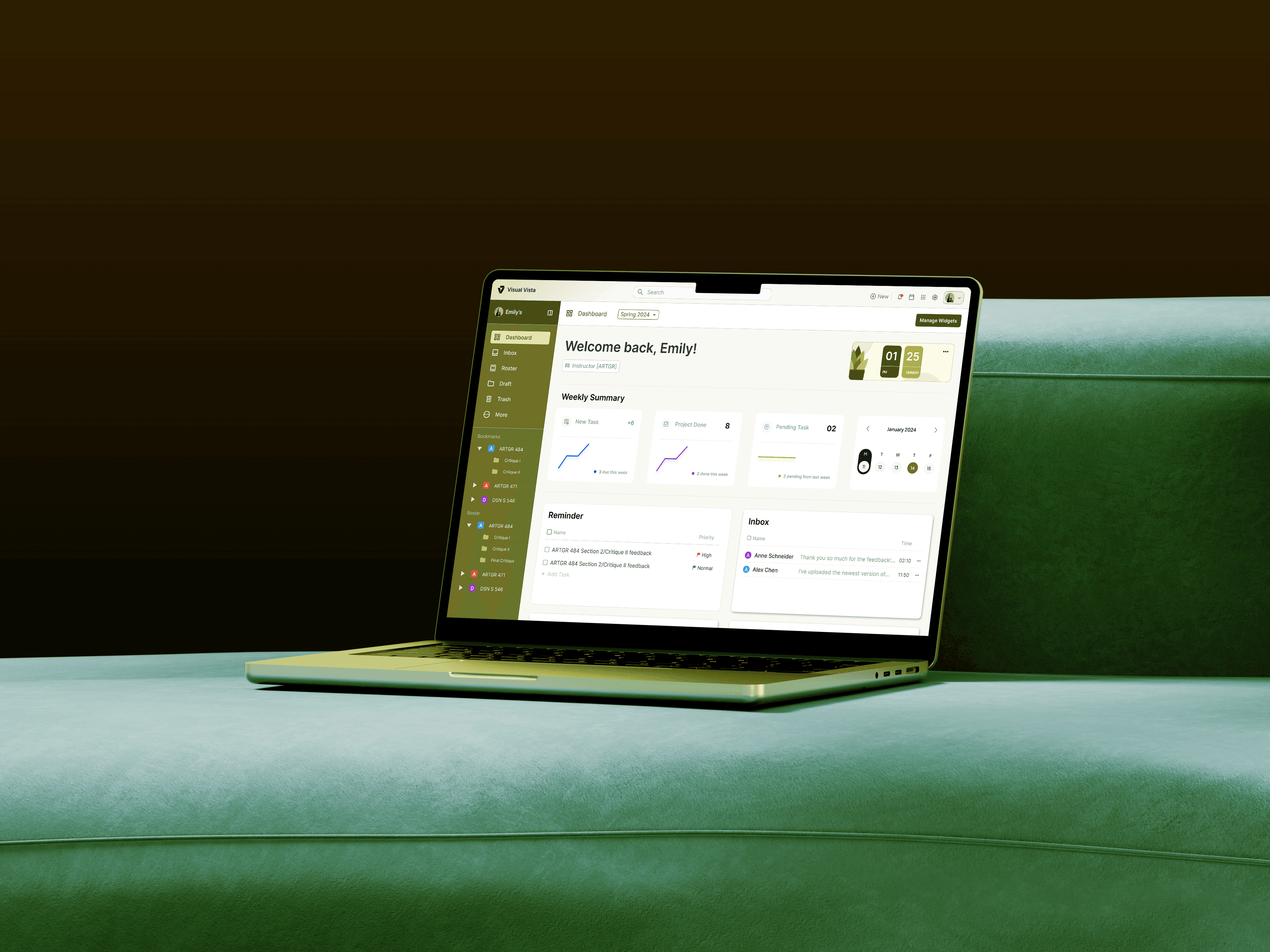

Visual Vista
Building real connection for creatives through critiques
A feedback-based educational platform for creatives to grow, and an optimized system for administrators.
The Problem
Design operates through critiques, helping designers grow through the feedback of their peers and mentors, but many students lack resources and collaborative opportunities.
Existing sites focus on commercial and professionals but lack space for students in academic setting and growth through work-in-progress feedback.
The Strategy
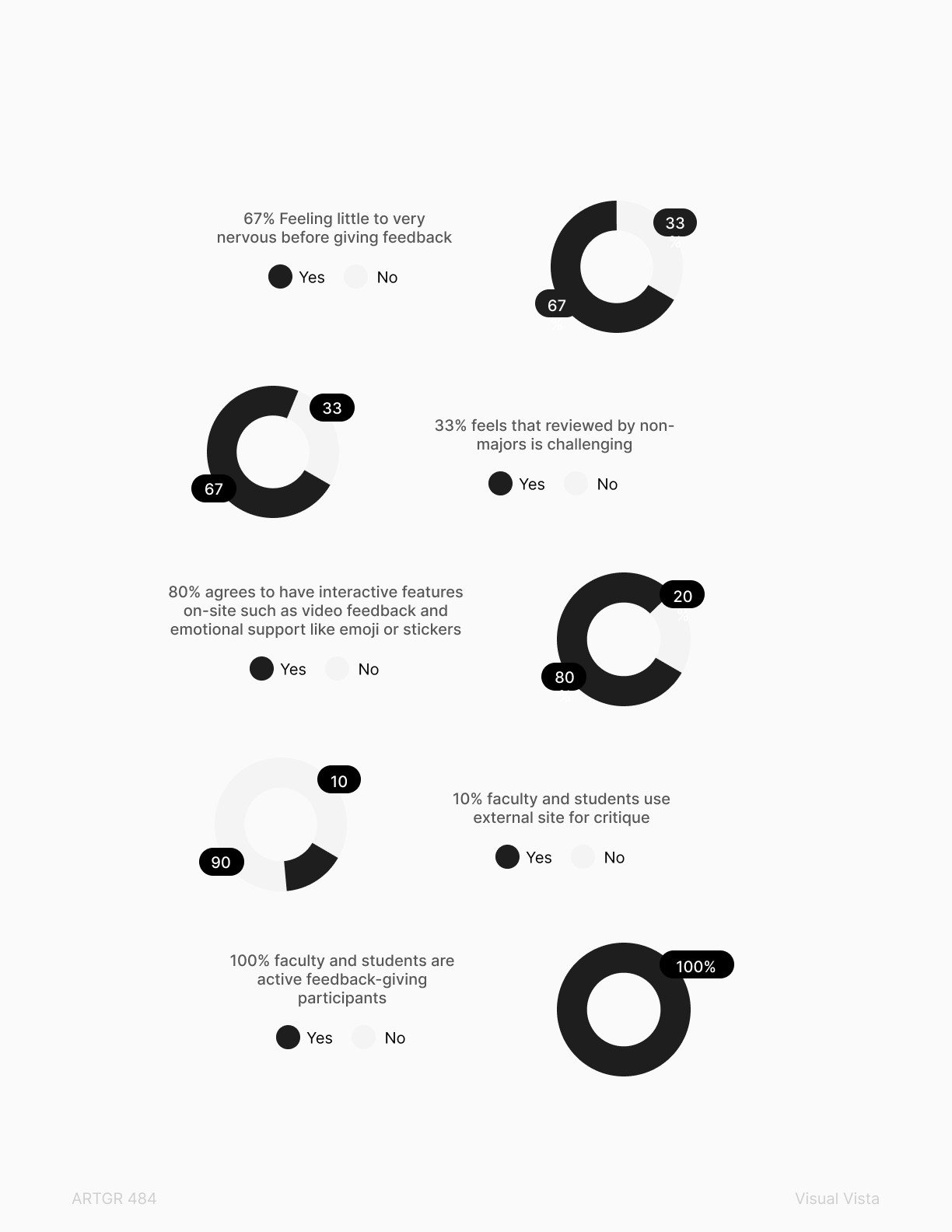
Critique isn't done through a bunch of buzzwords; it needs to be insightful, structured, and documented, especially in an academic setting such as design colleges, while easing students' anxiety when giving and receiving feedback.
This leads to Visual Vista, a centralized, less-intimidating way to facilitate critique.
The Result
100% of student testers felt less intimidated in receiving critique after testing Visual Vista and would like to use one if such a site existed.
100% of faculty testers found the rubric and feedback media, such as screen recording and voice note, helpful.
Solution
To thrive is to connect
My team and I came up with two main tasks of each stakeholder to ease their pain points and provide them with solutions on how Visual Vista can streamline their needs.
A 'small' gesture that actually matters
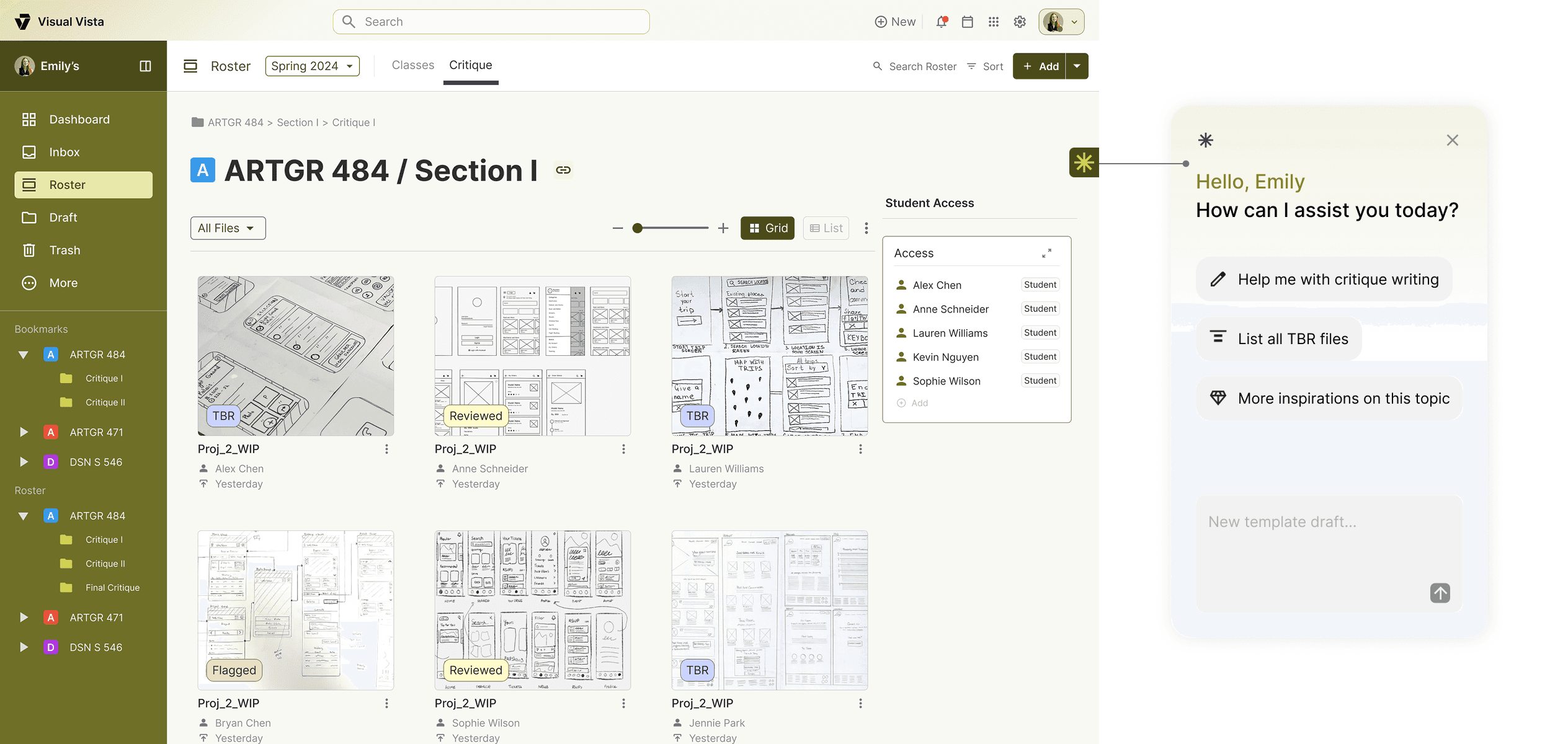
Students are the primary content creators in Visual Vista. Their main hurdle is the 'critique anxiety' that prevents them from participating confidently. By allowing students to leave encouraging comments in each other's work boosts student's confidence in their product.
They require a low-friction interface that strikes a balance between social encouragement and professional growth.
Feedback can be conversational
The goal was to foster connections between peers and faculty members while providing students with professional feedback. It needed to be less rigid, yet it encouraged students to observe one another through critical thinking.
By allowing students to upload their work at their own pace within a timeline, participants can review it wherever they are without being in person.
Hosting doesn't need to take hours
Faculty are busy and providing a premade structure reduces setup friction and could save up time by 60%. Templates allow the flexibility to host critique section without the heavy workload of starting from scratch.
Feedback delivered through various ways
Faculty are professionals with various ways of critiquing. Visual Vista provides tools for redlining or leaving commentary, including audio and video recording, highlighting, and a lasso for precision.
The rubric section also allows faculty to provide feedback with point precision, aligned with the course module requirements.
Urgency execution ensuring product safety
Administrators are heavy with tasks and Visual Vista provides a flag feature to reduce cognitive load and lead them to what needs to be executed first. Submissions and rosters equipped with low, medium and high urgency flags, allowing admins to sort and proceed immediately.
Administrative override granting permission control
Administrators oversees not only submissions, but also roster members. They have the autonomy to add and remove members who are not compliant to the academic ethics and guidelines. Each participant will be notified if their comment, submission or access is removed by the admins.
Research


Faculty
Busy professors with academic workloads who require a streamlined, asynchronous method for providing high-quality feedback
Student
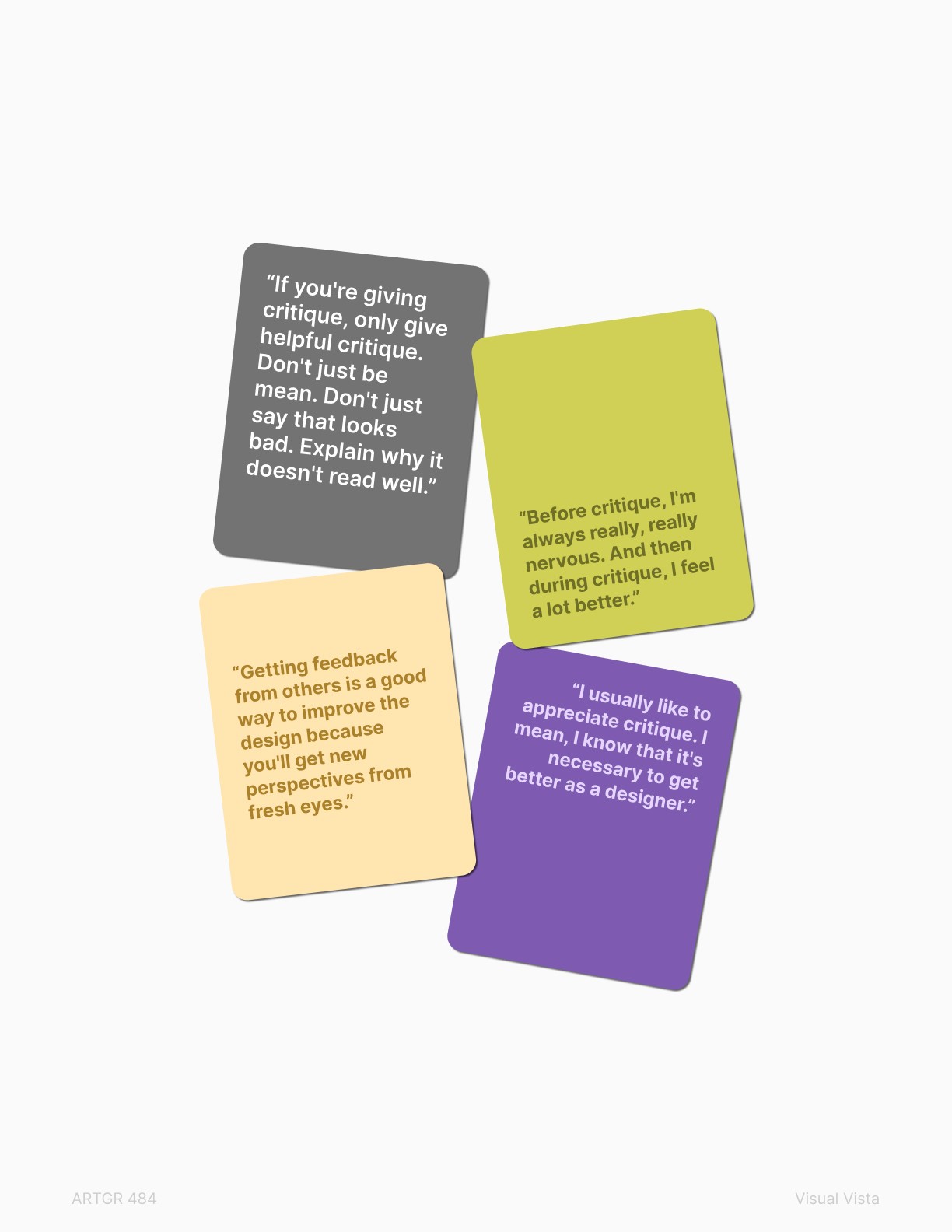
Passionate design students who are technically driven but often hindered by the psychological barrier of critique anxiety
Administrator
Detail-oriented system managers maintain a secure and optimized digital ecosystem, streamlining reports between faculty and students




Research
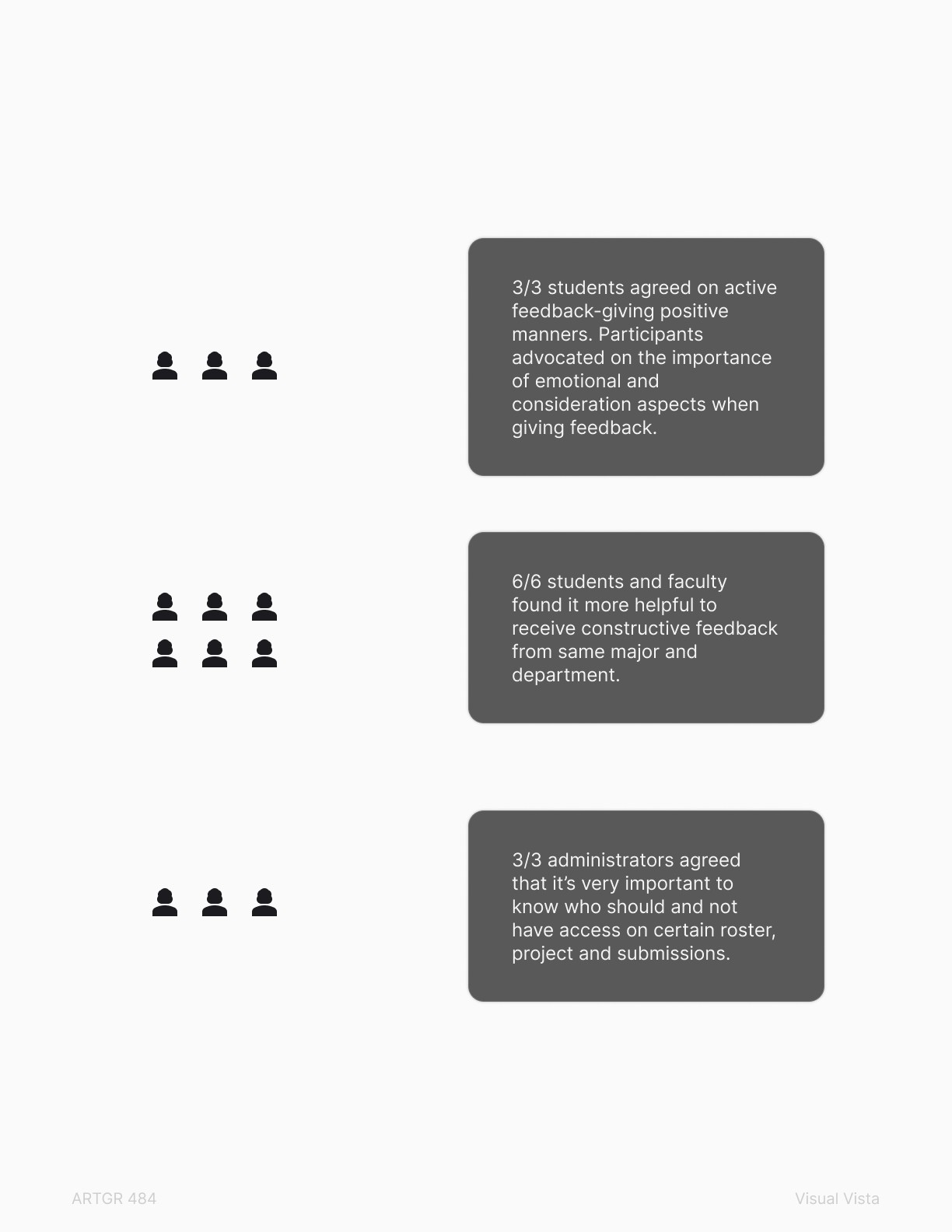
What specific types of feedback do students find most beneficial to their growth without increasing academic stress?
How can the platform be integrated into faculty's existing classroom workflows to provide flexible, multimodal feedback across different stages of a project?
What administrative tools are required to efficiently manage user permissions, moderate content, and ensure data security across the department?
Persona
As a busy professor, I would like a site that is accessible and easy to use so I can spend my time helping my students.
As an analytical designer, I value critique, and I would like a platform that fosters community learning, allowing me to annotate with in-person precision.
Dr Emily Martinez
Associate Professor at ISU College of Design
As a student who often feels nervous before critiques, I want to engage with my peers through a low-friction, supportive feedback tool without significant fear of judgment.
As an aspiring designer, I aim to showcase my work in a structured, professional environment where I can receive constructive critique to help me build a high-quality portfolio.
Alex Chen
Graphic design student at ISU College of Design
As a network administrator, I would like a site that complies with necessary guidelines and is easy to maintain/fix when problems arise.
As an organized IT admin, I want to have a site that is simple and clear in layout, information, and needs/requirements.
Sarah Johnson
Administrative Coordinator at ISU
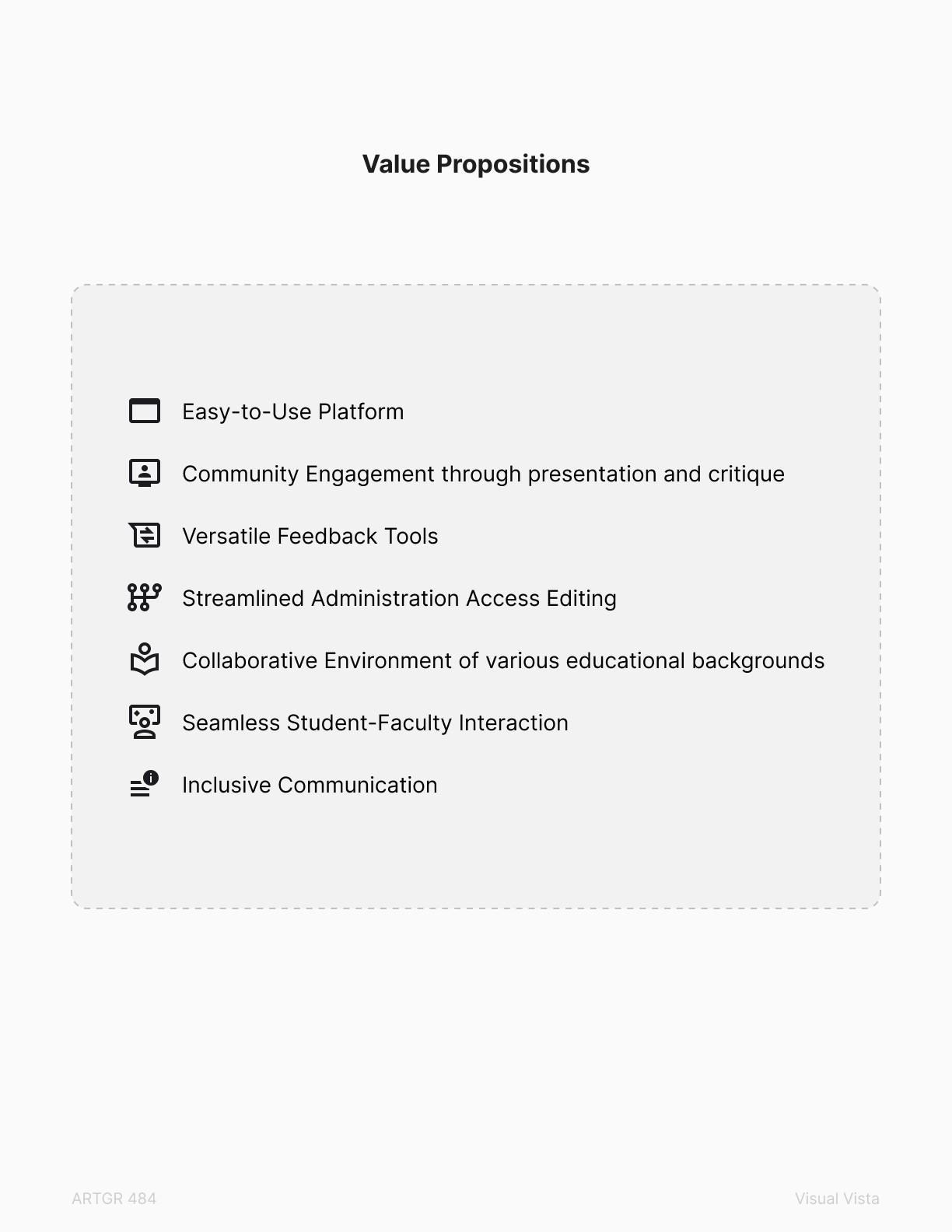
Value Proposition
Design Decisions
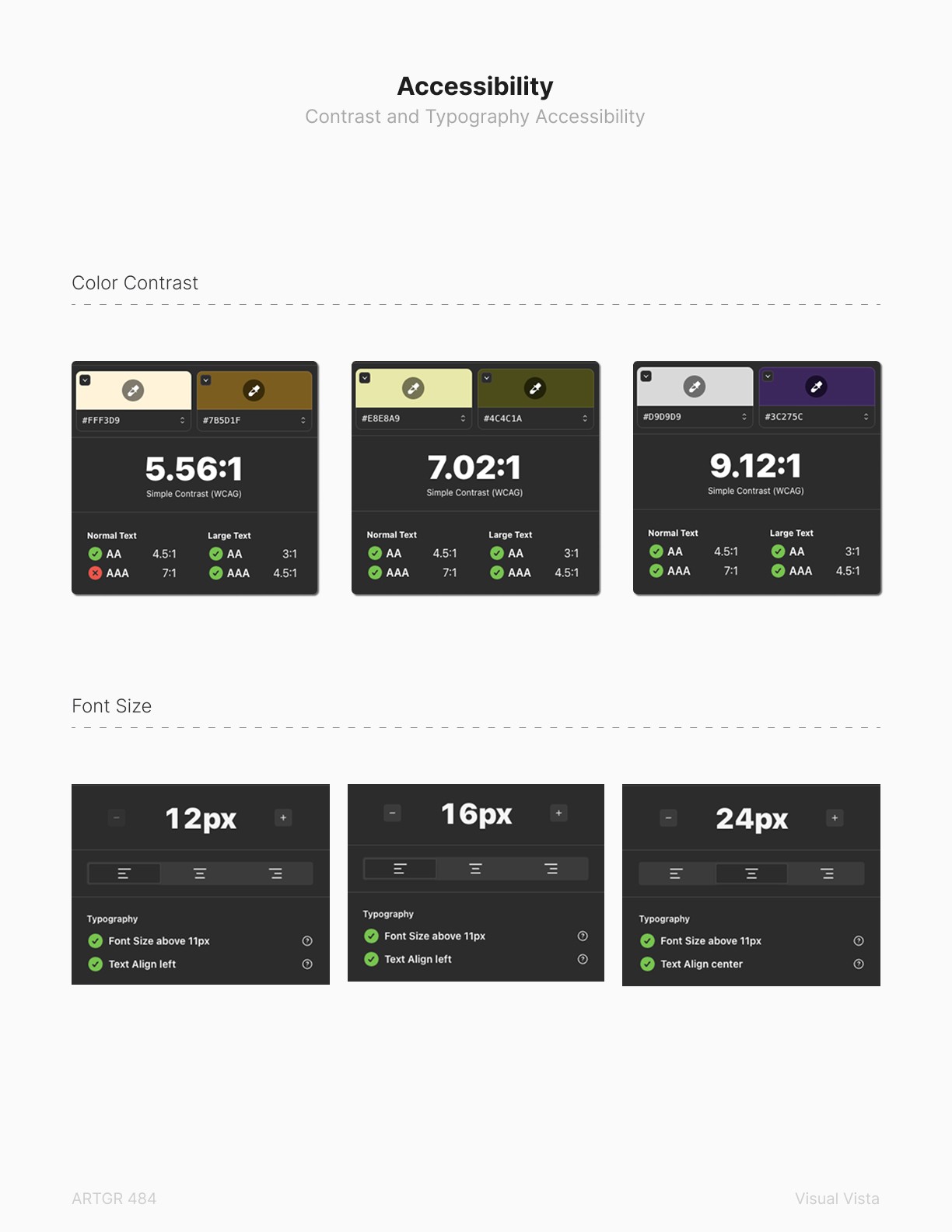
Accessibility
Interface legibility is the priority
Button selection color was changed to pass the accessibility checker, ensuring all states are legible and adhere to WCAG.
Future Improvement
What I could've done if I had more time
If I had more time, I'd have integrated AI assistant for all stakeholders. The value propositions are: template-making and feedback assistant for faculty, outside resource inspirations for students and automatic report filter/alerts for administrators.
AI-Assisted Feedback Synthesis
To further support Faculty Autonomy, I would explore integrating a lightweight AI layer that could group similar student questions or suggest "Common Corrections" based on the grading rubric. This would allow faculty to address the entire class on common issues with one click, leaving more time for deep, 1-on-1 mentorship.